Code, Share, Manage & Teach Python in the Browser.
RunPy gives students a user-friendly space to code and manage files. Teachers can view, run, share and provide feedback all from one place.
For everyone
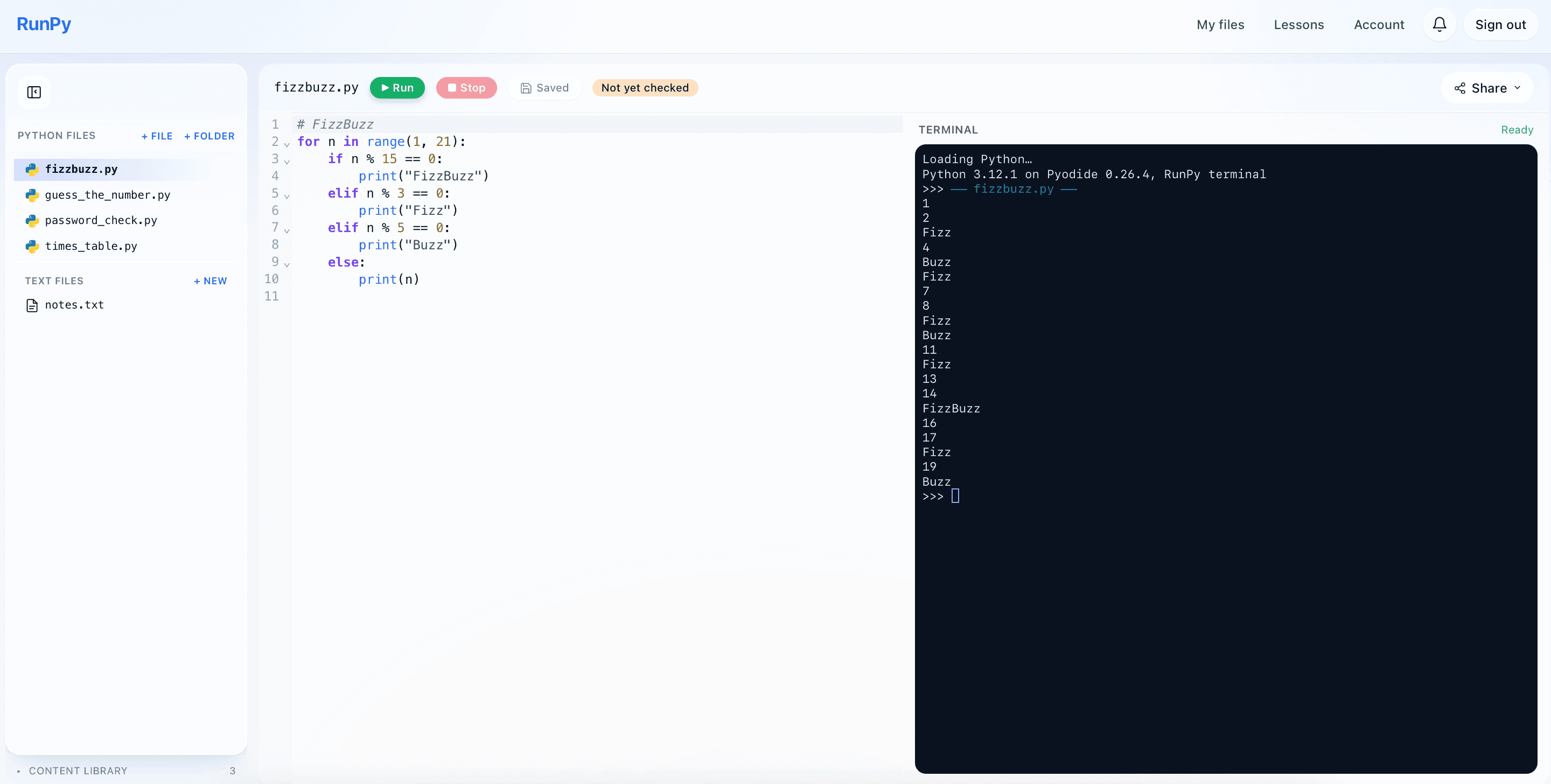
Full IDE with file access
- Code editor and interactive Python terminal side by side
- File sidebar in the same view — resize it to fit your screen or hide it entirely
- Run Python in the browser with no installation, input() prompts inline in the terminal
- One-click Copy as image, plus a shareable public link for any file
For everyone
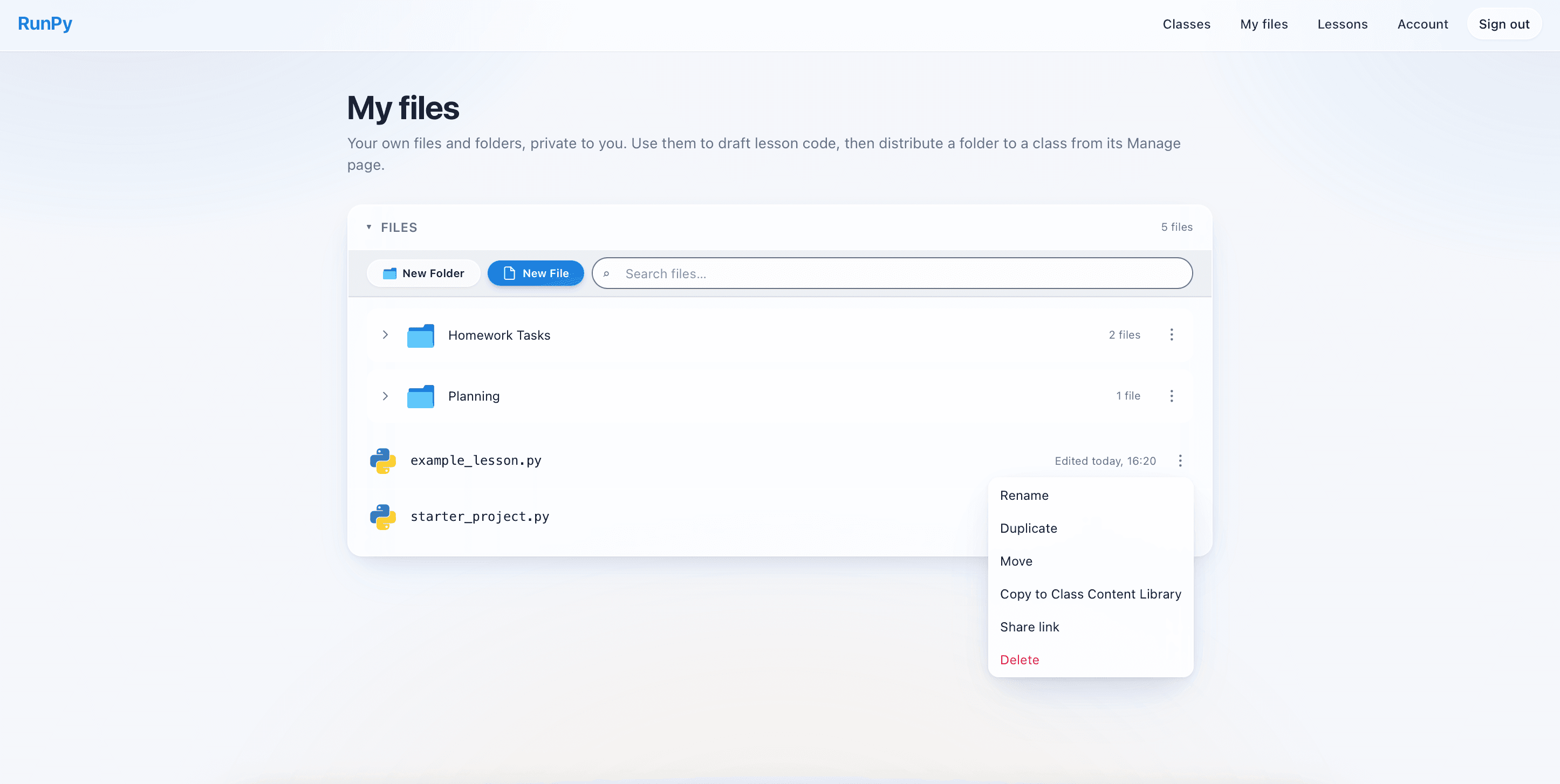
My Files
- One unified files area — Python files, HTML projects and text files all in the same tree
- Group work into named folders, mixed languages allowed
- Live search across every file and folder you own
- Rename, move, duplicate, share or delete from the same panel
For students
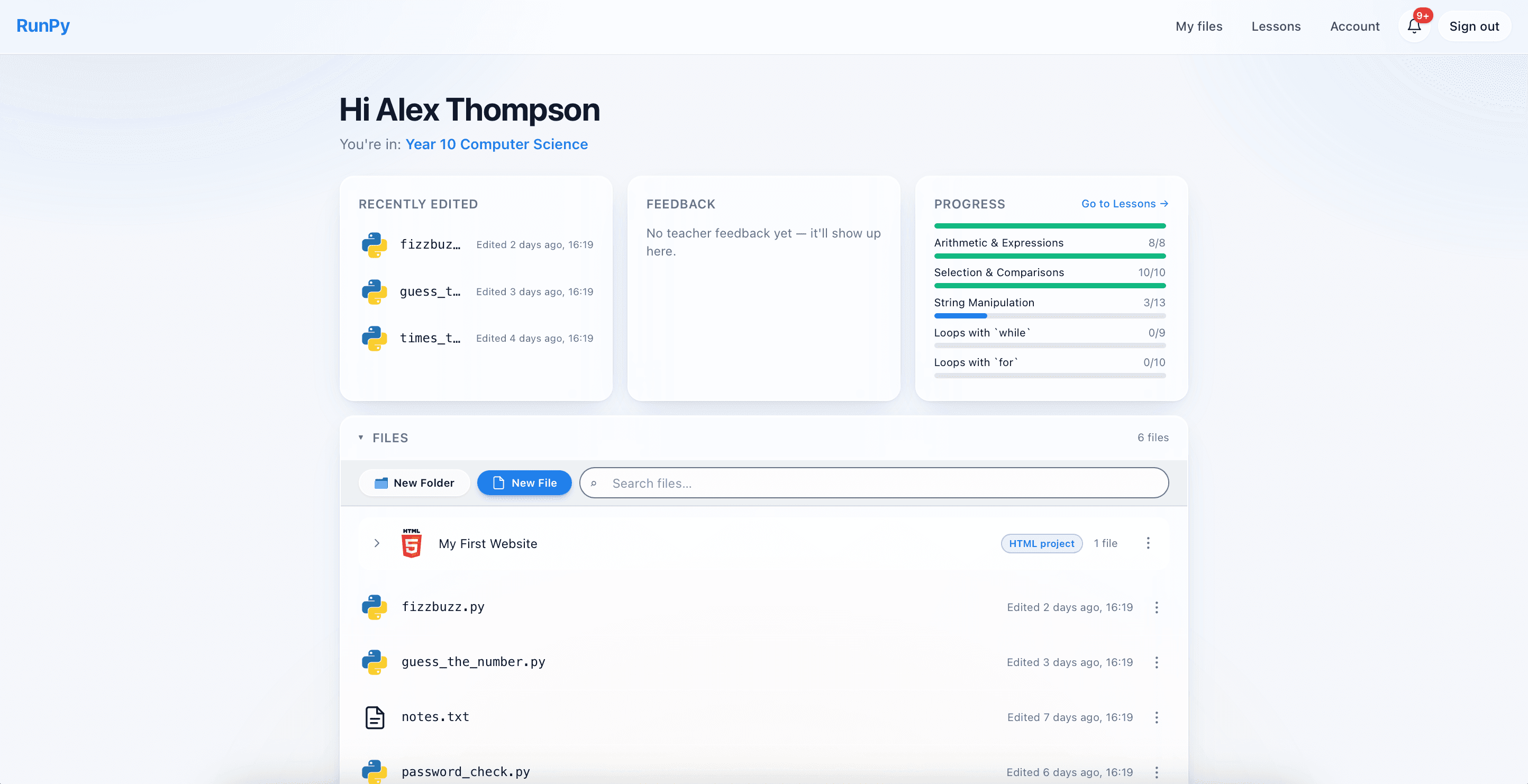
Student dashboard
- Three cards at a glance — Recently edited, Teacher feedback and Lesson progress
- Jump straight back into the file you were last working on
- Feedback card surfaces unread comments from your teacher
- Progress card tracks how far you are through the lessons catalogue
For students
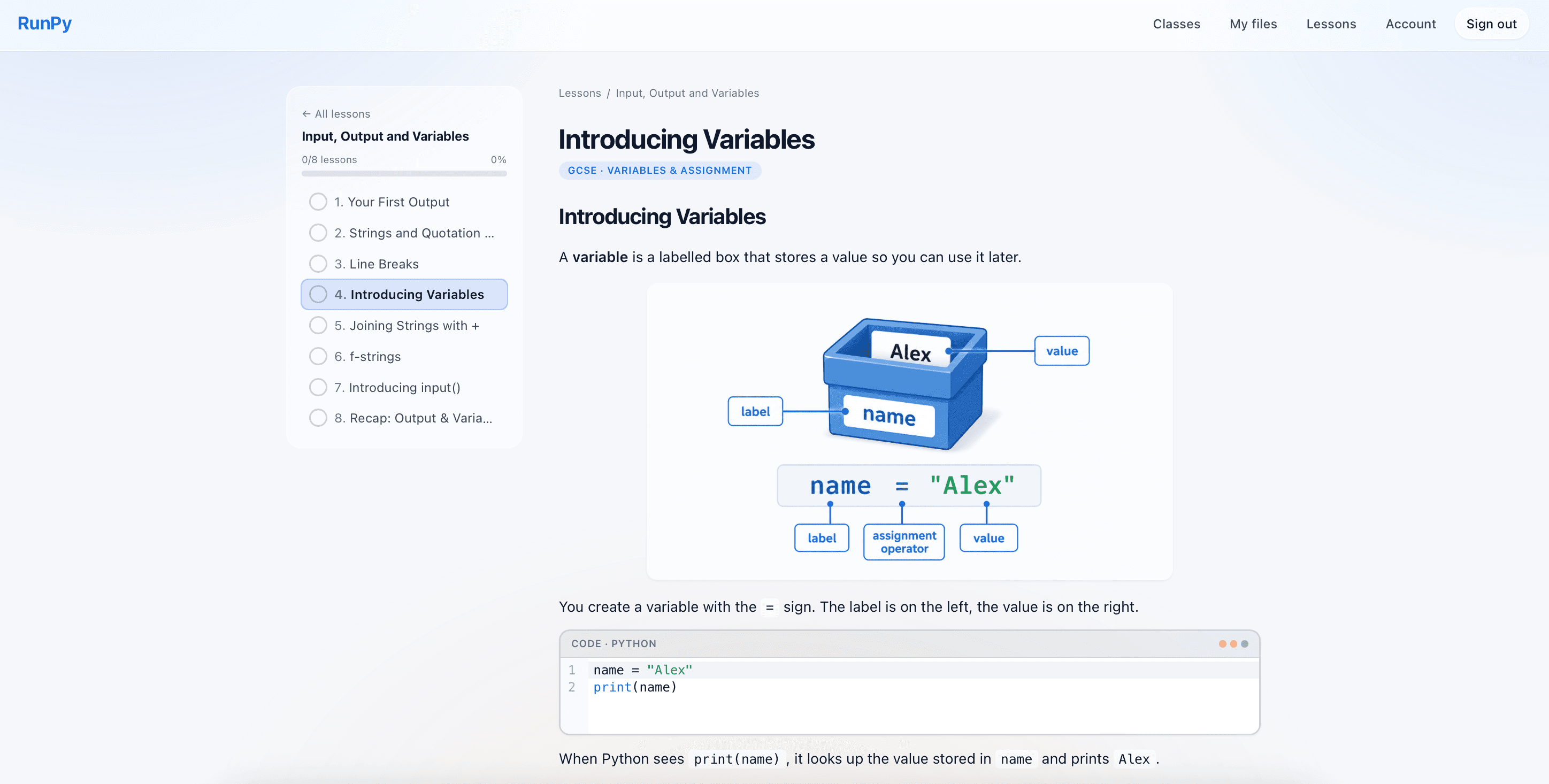
Lessons
- Access to over 150 lessons with self-marking tasks and worked code examples
- Structured Python course broken into units and short lessons
- Multiple-choice questions mixed in for quick concept checks
- Exam-style scenarios with per-criterion mark schemes for exam practice
For students
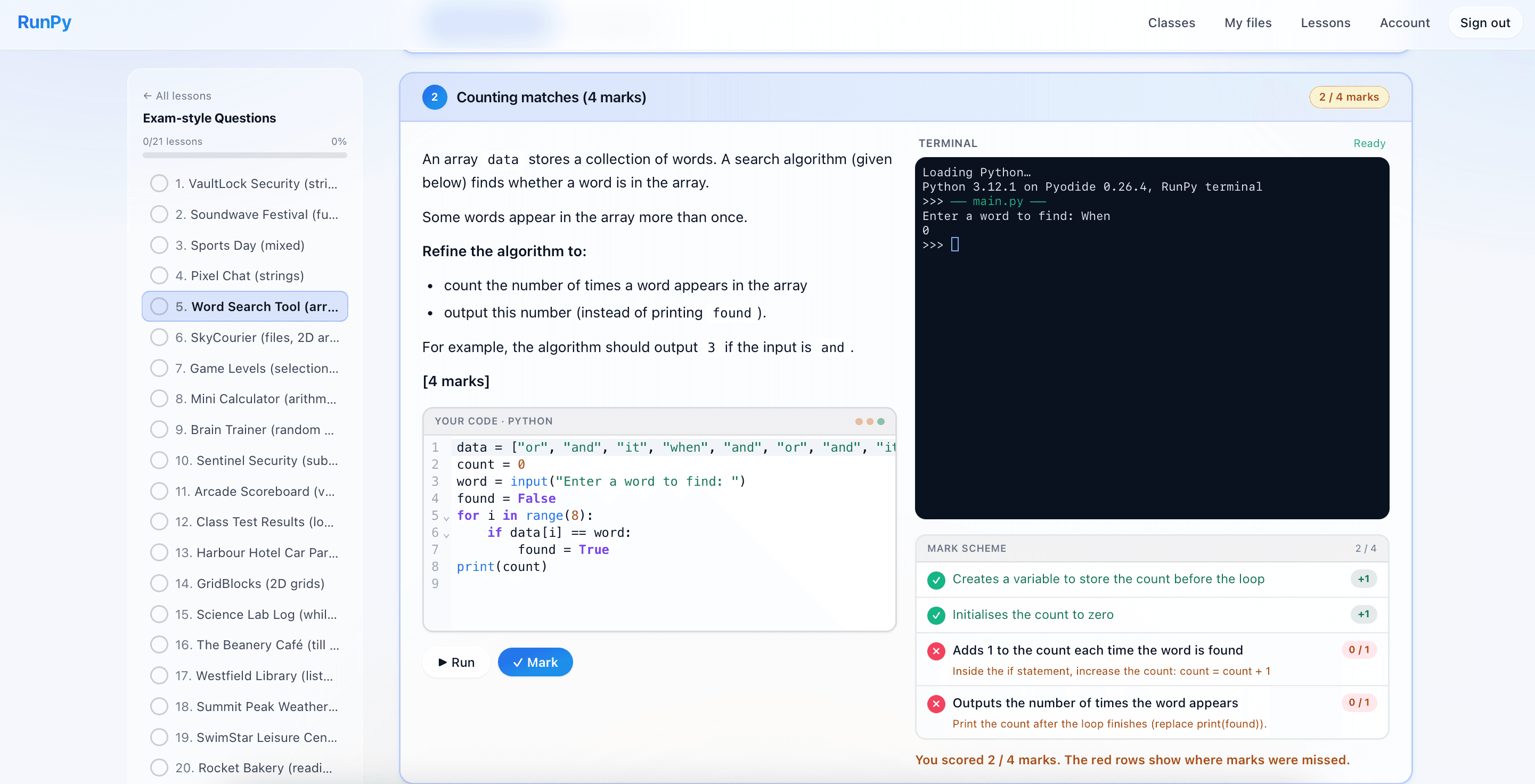
Exam-style questions
- Over 80 scenario-based coding tasks that mirror real GCSE exam questions
- Editor and terminal on the left, mark scheme sticky on the right
- One-click Mark, with per-criterion partial credit and running attempts
- First-mark confirmation so students know a score is being recorded
For teachers
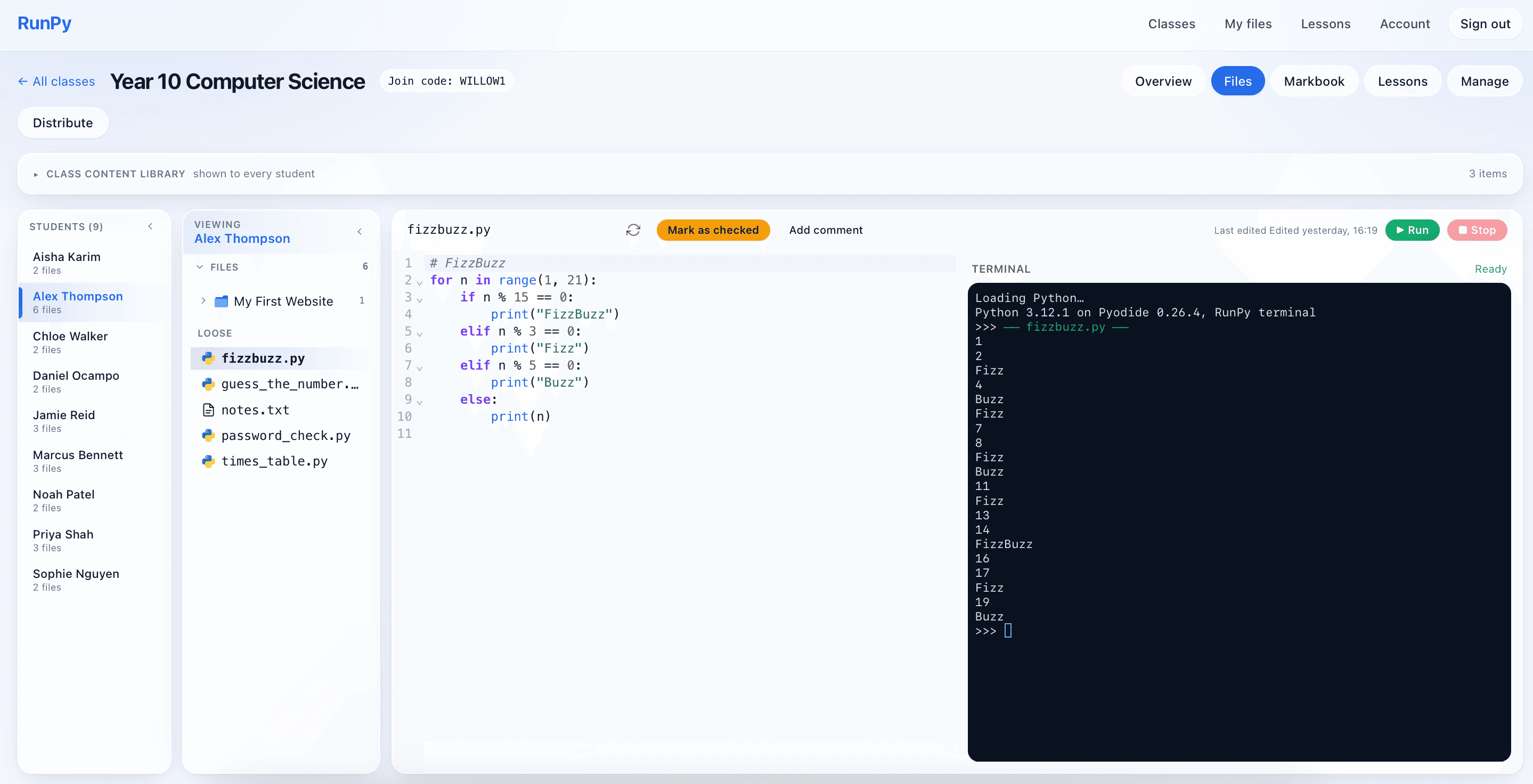
Teacher view of student code
- Open any student's files straight from the class page
- Run their code in your own terminal without touching their work
- Mark files as checked and leave inline comments students see instantly
- Edit a student's code directly when they need a nudge in the right direction
For teachers
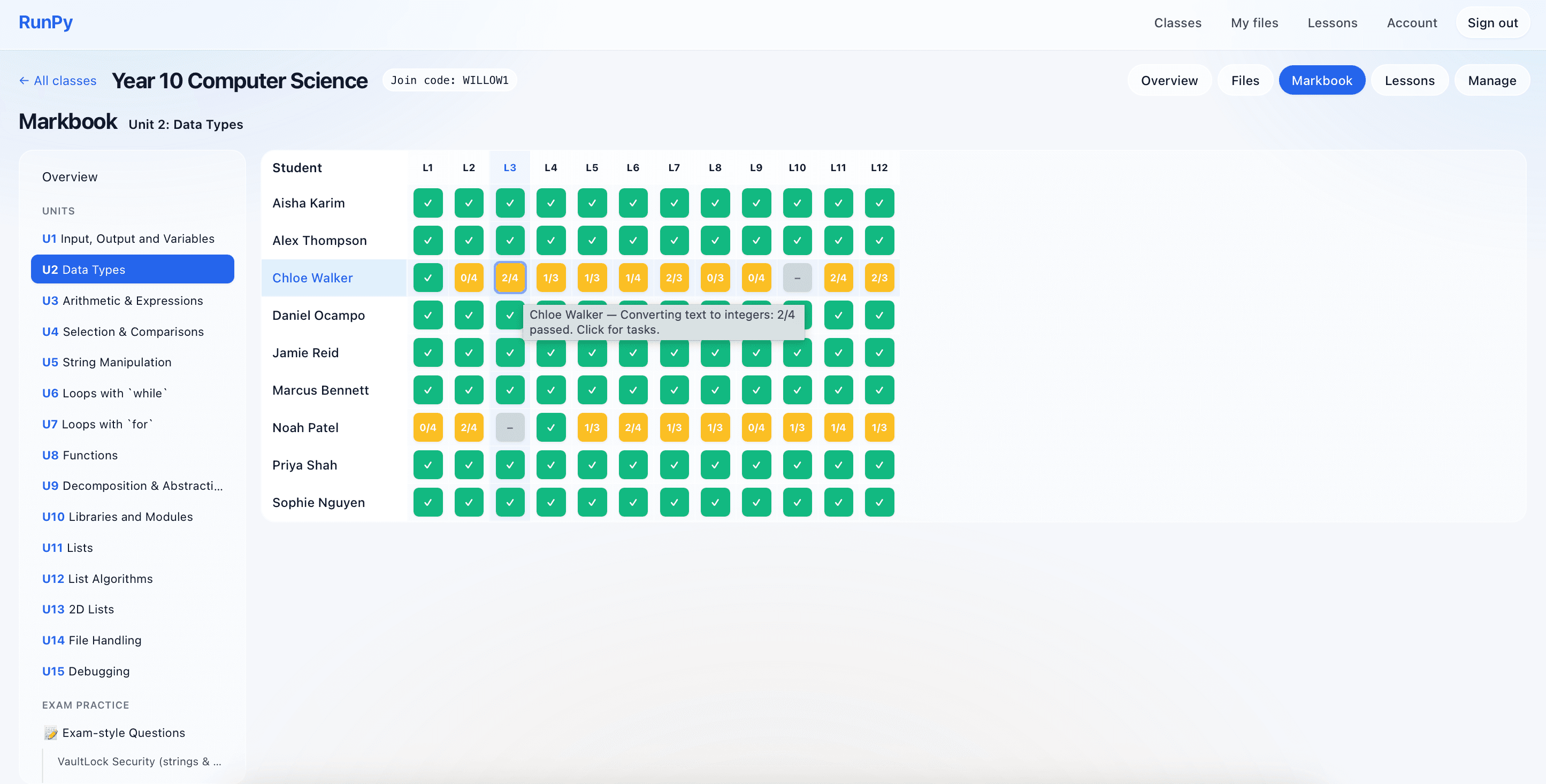
Class markbook
- Heatmap overview of every student against every lesson at a glance
- Drill into a unit, scenario or individual student for a full report
- Click a task to see exactly what the student submitted, code and all
- Per-class lesson unlocking so you hand out work one unit at a time