Safeguarding account
Safeguarding for every school using RunPy
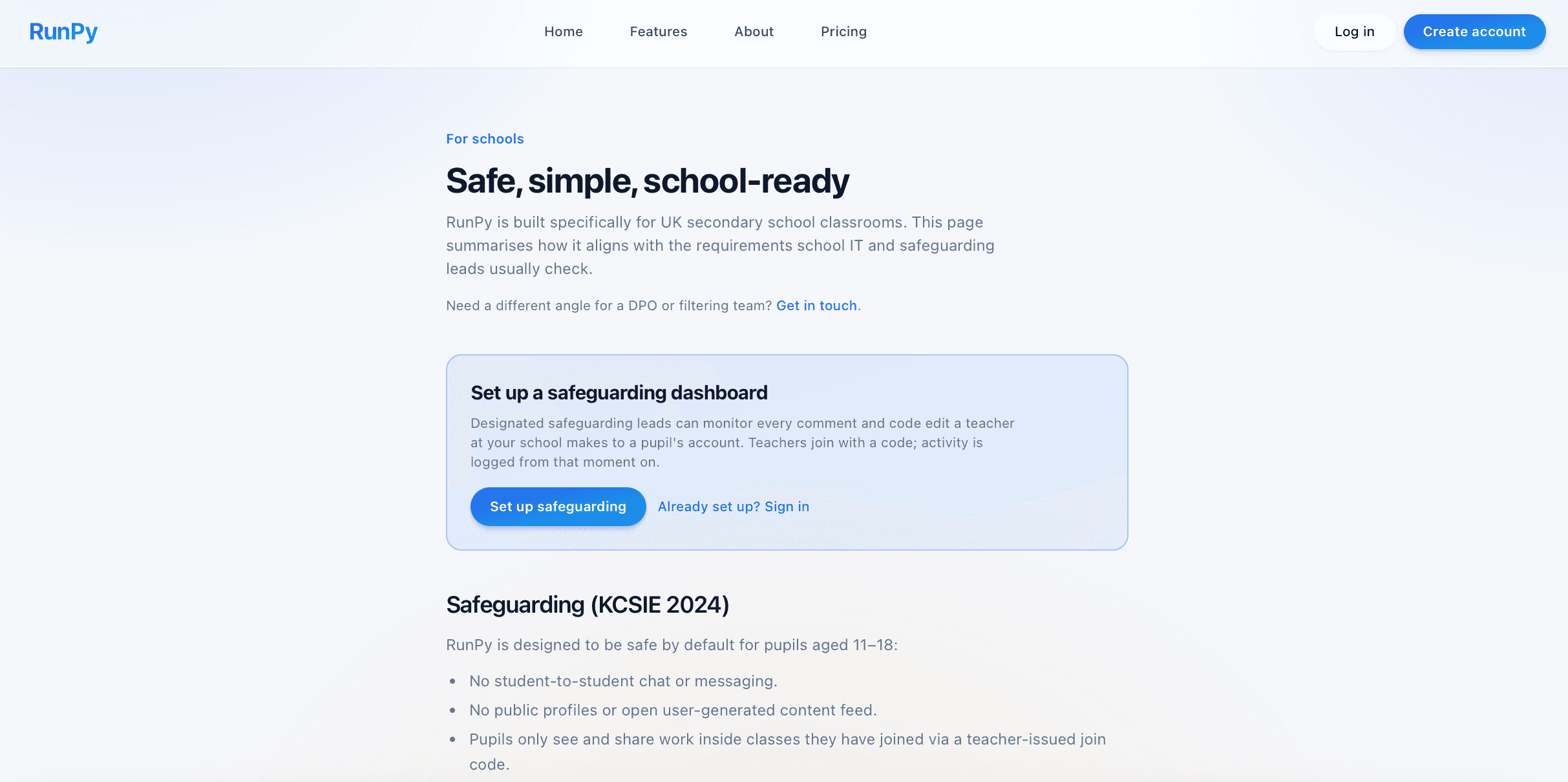
Designated safeguarding leads get a private dashboard showing every comment a teacher leaves on a pupil's file and every direct code edit a teacher makes. Free for schools.
Why this exists
RunPy is designed to be safe by default, pupils never message each other, profiles are private, and code runs only on the pupil's device. The one place a teacher and pupil communicate inside the app is on the pupil's file: a teacher can leave a comment and can directly edit the code.
That contact is necessary for teaching, but schools have rightly asked for visibility over it. Without a record, a deleted comment or an edit made in a pupil's account can't be reviewed later. The safeguarding dashboard fixes that: every comment (including edits and deletions) and every code change is logged in an append-only timeline that only your school's designated lead can see.
Schools opt in. The dashboard is free. Teachers join a school with a code their lead gives them, and logging begins from that moment. If a teacher isn't in a school, nothing is logged.
Step 1
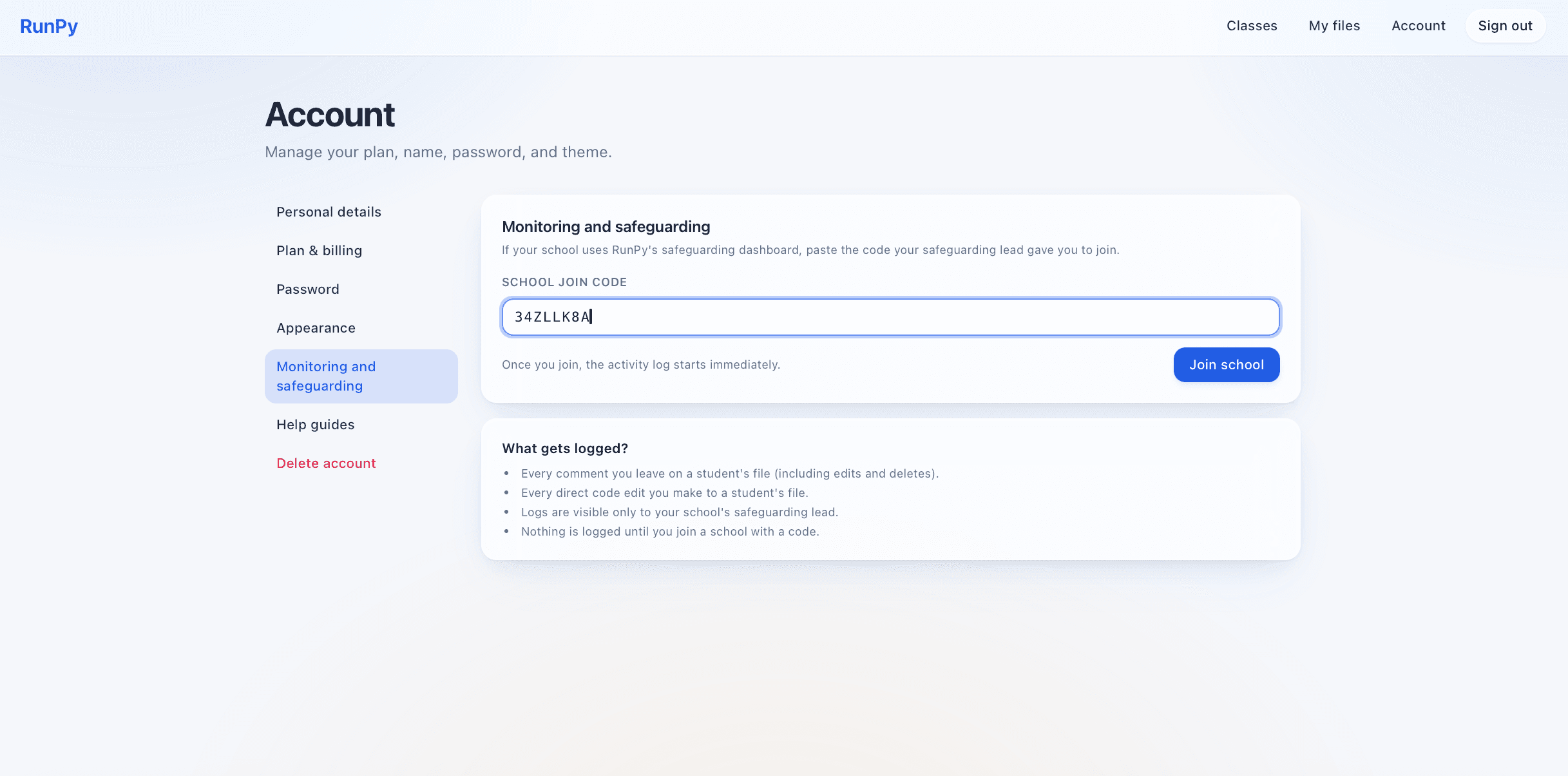
Teachers join the school with a code
- The safeguarding lead generates a unique join code on the dashboard.
- Teachers paste it under Monitoring and safeguarding on their account page.
- Logging begins the moment they join, no surveillance without consent.
- Teachers see a persistent notice that explains exactly what is recorded.
The dashboard
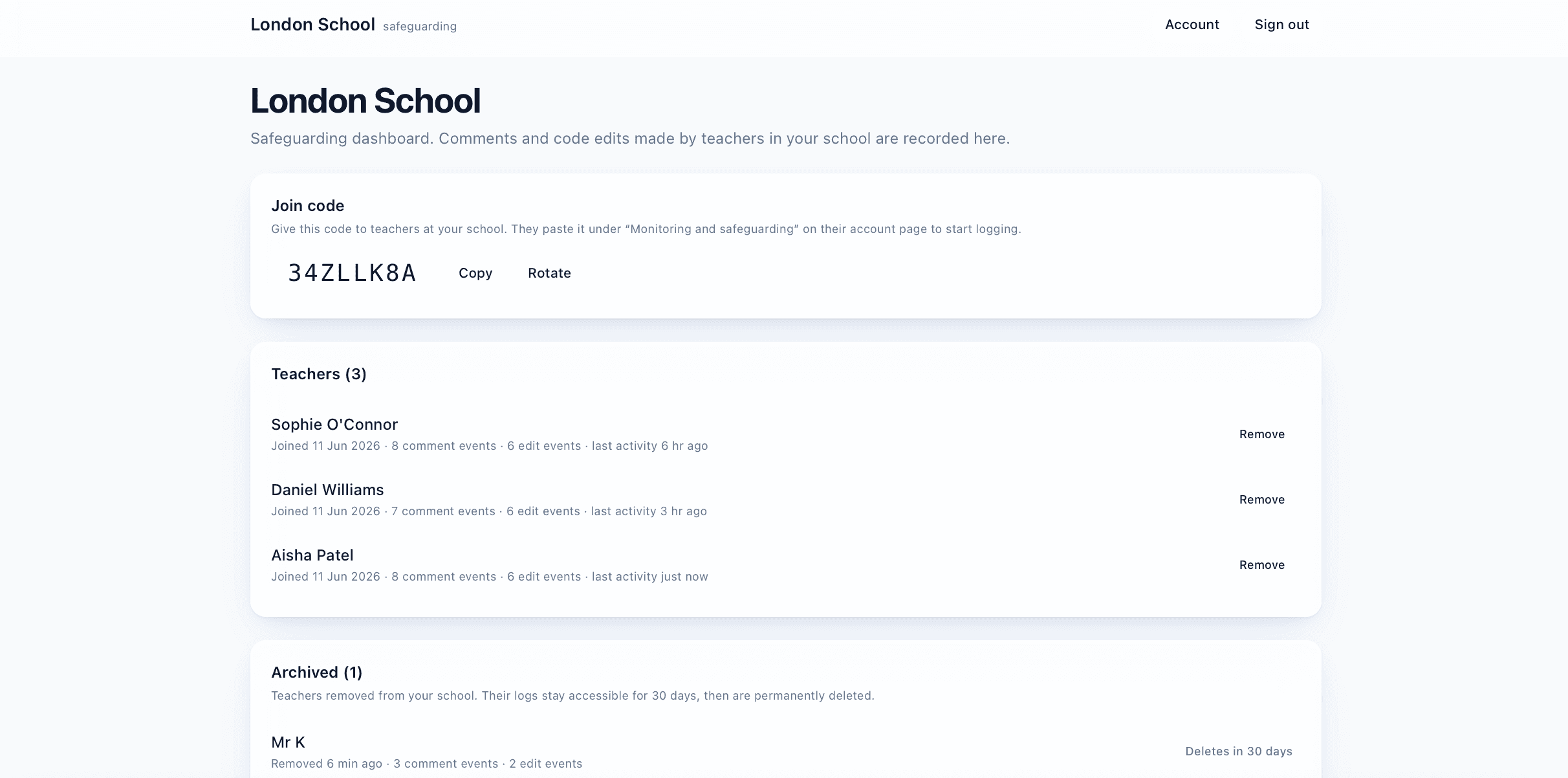
See every teacher who has joined the school
- Each teacher appears with the date they joined and their activity totals.
- Counts of comment events and code-edit events for quick review.
- Last-activity timestamp to spot recent changes at a glance.
- Removed teachers move to an Archived section for 30 days, then are deleted.
Comment log
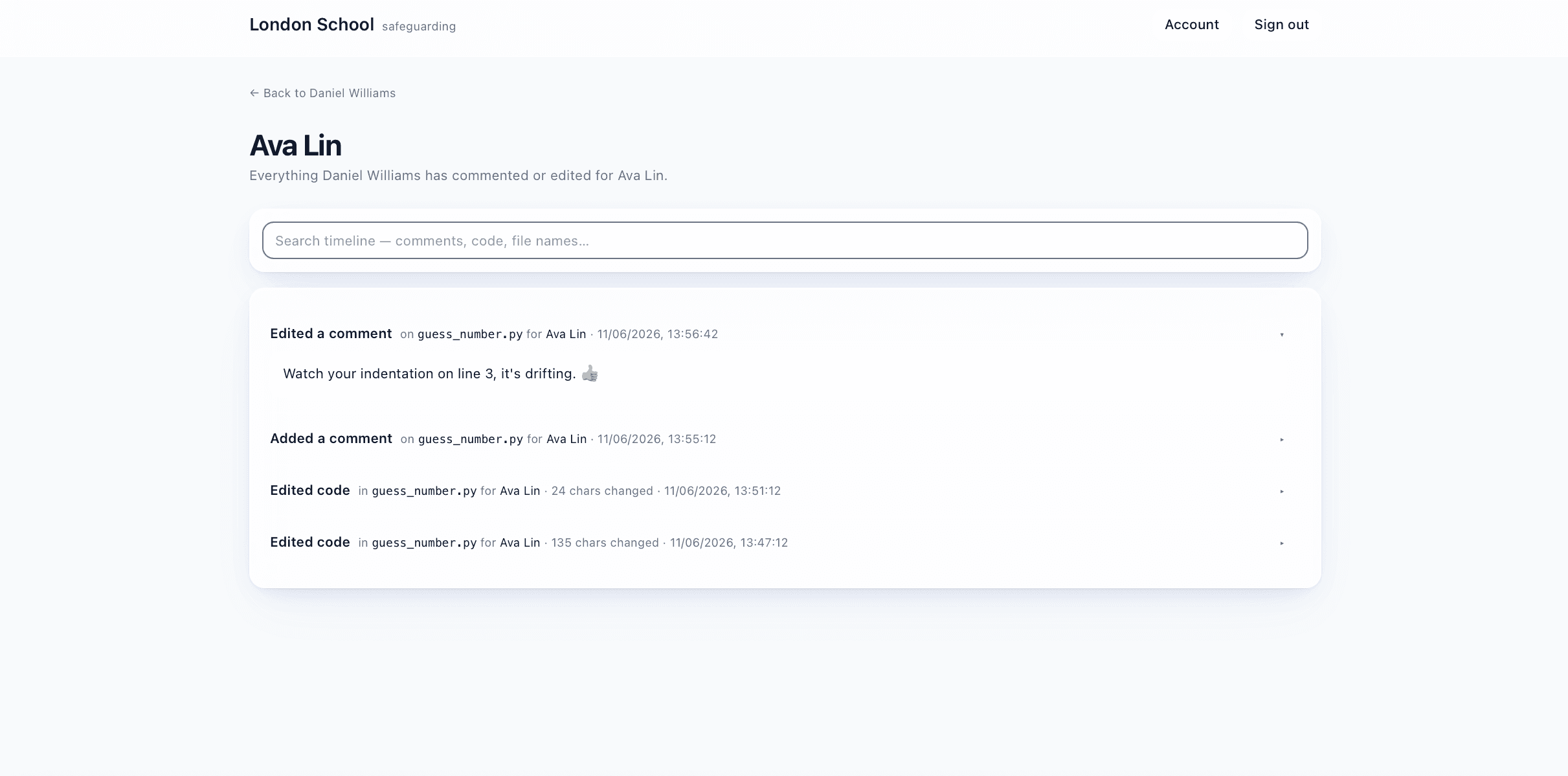
Every new, edited and deleted comment on pupil work
- Full timeline of every comment a teacher leaves on a pupil's file.
- Edits and deletions are preserved with their original body, nothing can be quietly removed.
- Each row shows the pupil name, file name, and timestamp.
- Search the timeline by content, file, or pupil.
Code edit log
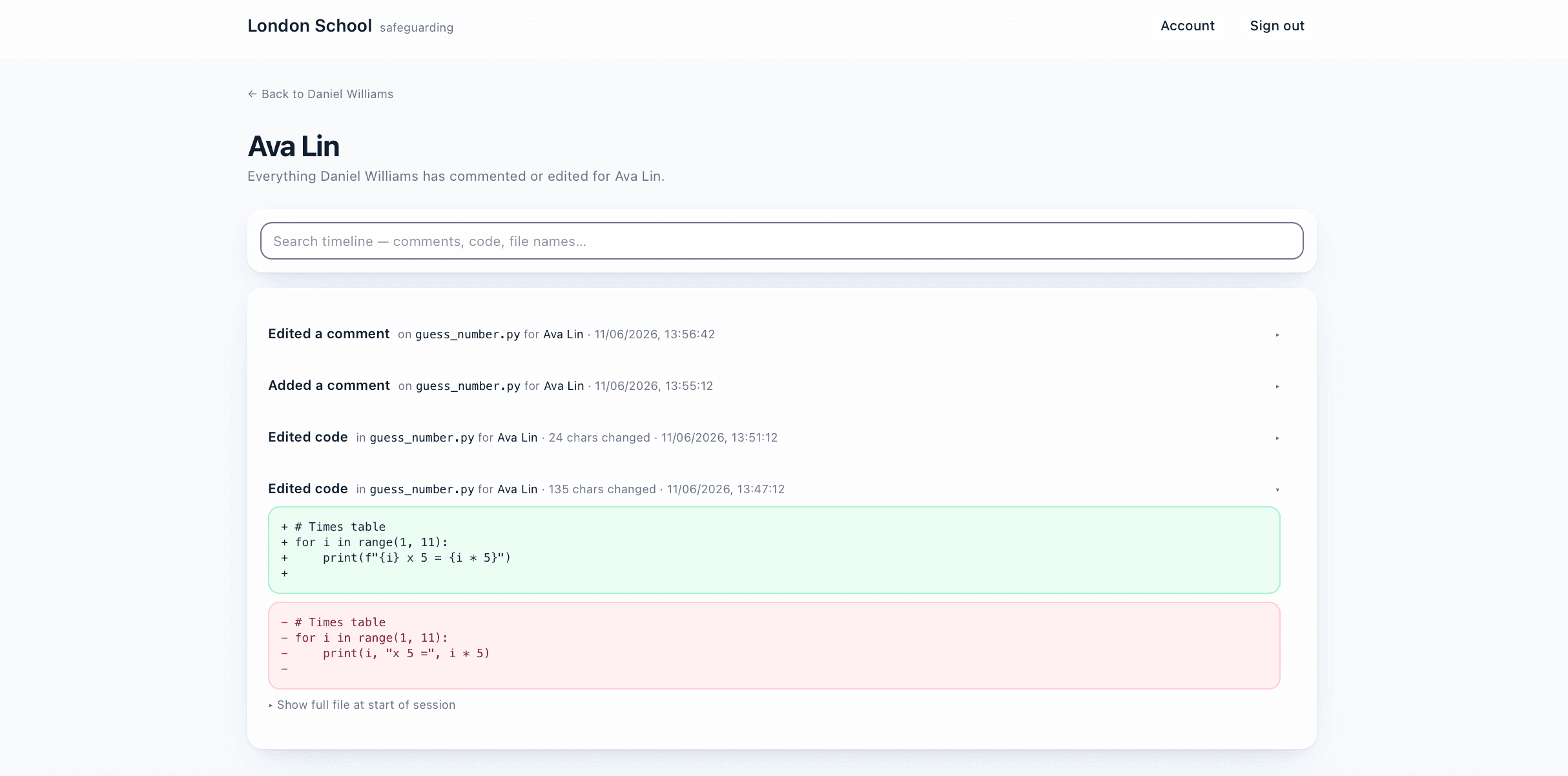
In-line changes a teacher makes to a pupil's code are logged too
- Direct edits to a pupil's code record the exact lines added and removed.
- First save of an editing session also stores the full pre-edit file.
- Original work and the change are both reviewable side by side.
- Click any row to expand the diff in green and red.
How it aligns with safeguarding policy
The dashboard is designed to fit alongside the safeguarding obligations a UK secondary school already meets.
KCSIE 2024, child-on-child and adult-on-child harm
Comments and code edits sit at the boundary between adult and child inside the platform. Recording them gives a designated safeguarding lead (DSL) the same kind of review trail that messaging tools already provide elsewhere, helping the school discharge its part 2 duties under Keeping Children Safe in Education.
UK GDPR, lawful basis and transparency
Logging is processed for safeguarding (a public interest task and a legal obligation for schools). Pupils see a clear notice on sign-in once their teacher is part of a school's programme; teachers see a persistent notice on their account page from the moment they join.
Data minimisation and retention
Only the comment body, the diff added and removed, and one full snapshot per editing session are stored. When a teacher is removed from the school their records are kept for 30 days so a DSL can still review them, then permanently deleted by a daily job.
Access control
Logs are visible only to the leader who set up the safeguarding account. Teachers can see their own membership but cannot read each other's logs. Pupils, the platform team and other schools cannot see the data.
Children's Code (ICO)
In line with the ICO's Age-Appropriate Design Code, monitoring is on a default-off basis. A school must actively opt in by signing up, and a teacher must actively paste a join code before any of their activity is recorded.
Prevent duty
The searchable timeline lets a DSL look back across a pupil's interactions if a concern is raised, supporting the school's wider safeguarding and Prevent obligations.
Set up your school's safeguarding account
One designated lead per school. Free. Teachers join in seconds with a code. Pupils are notified clearly. You stay in control of who sees what.