Features
Everything you need to learn, code, and teach with ease.
RunPy brings students and teachers together in a powerful browser-based coding environment built for classrooms.
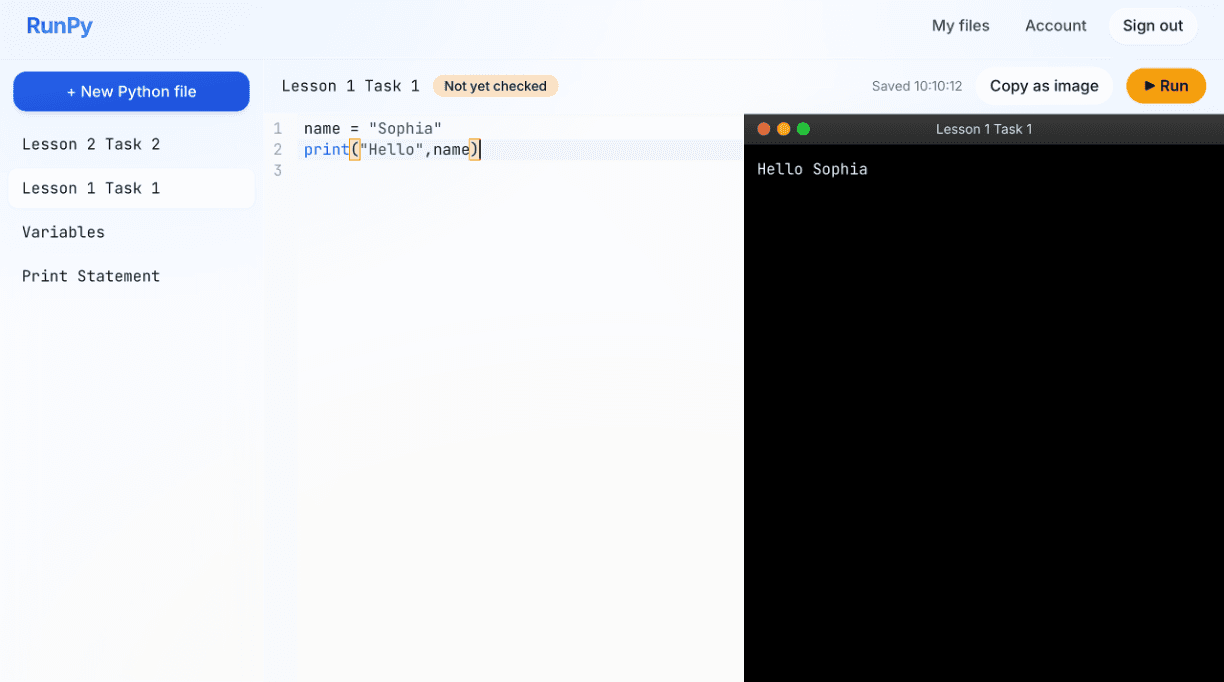
The student code editor
Teacher feedback
Right on the file
Mark as checked
One-click review
Whole-class view
See every student
Python + HTML
Run in the browser
For students
Everything students need to learn coding
A simple, focused environment that helps students stay organised, code confidently, and get feedback that helps them improve.
Run Python and HTML in the browser
Students write code in a clean editor with syntax highlighting and run it instantly — no installs, no setup. Output appears in a dark console window right next to their code.
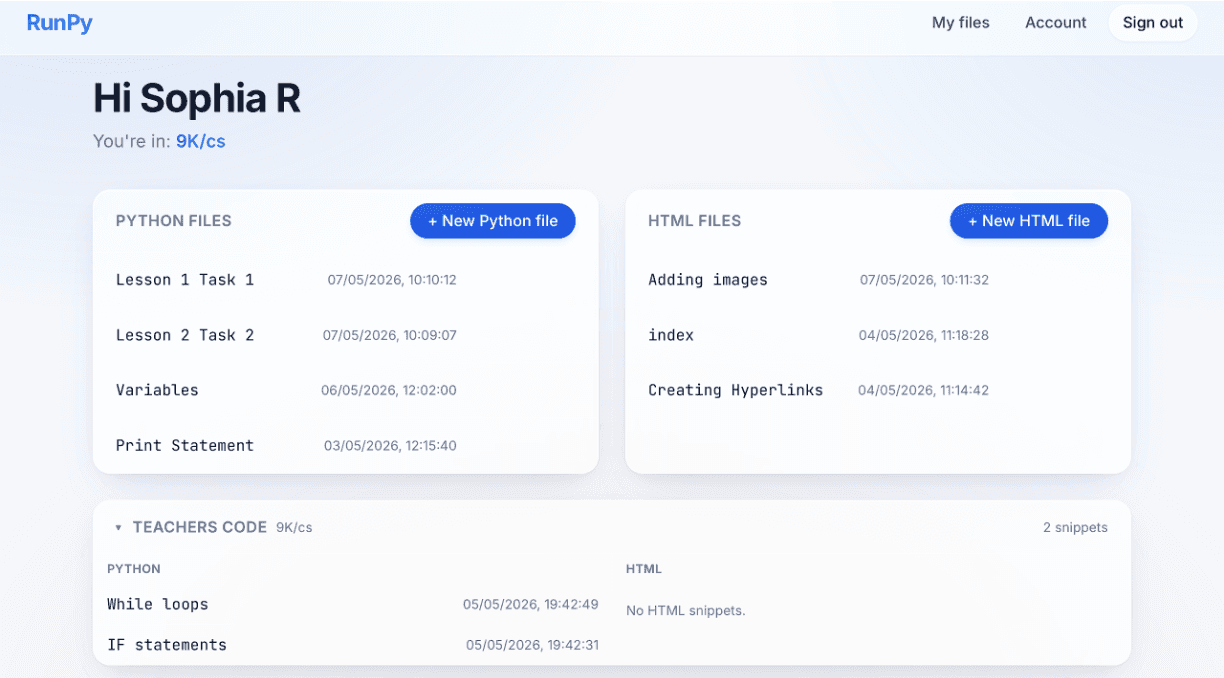
Manage all their files in one place
A simple dashboard groups Python and HTML files separately, keeps timestamps for every save, and shows snippets shared by their teacher — so finding the right file is never the hard part.
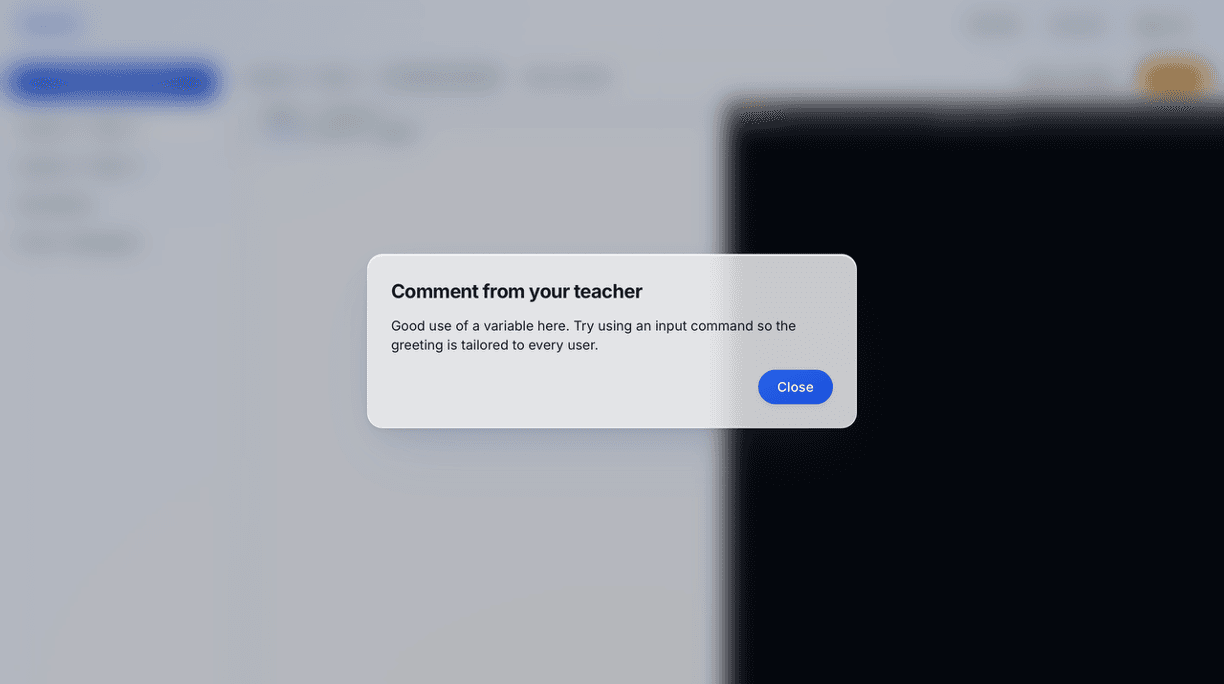
See teacher feedback right on their work
When a teacher leaves a comment, the student sees it the next time they open the file — clear, gentle, and tied to the exact piece of code they were working on.
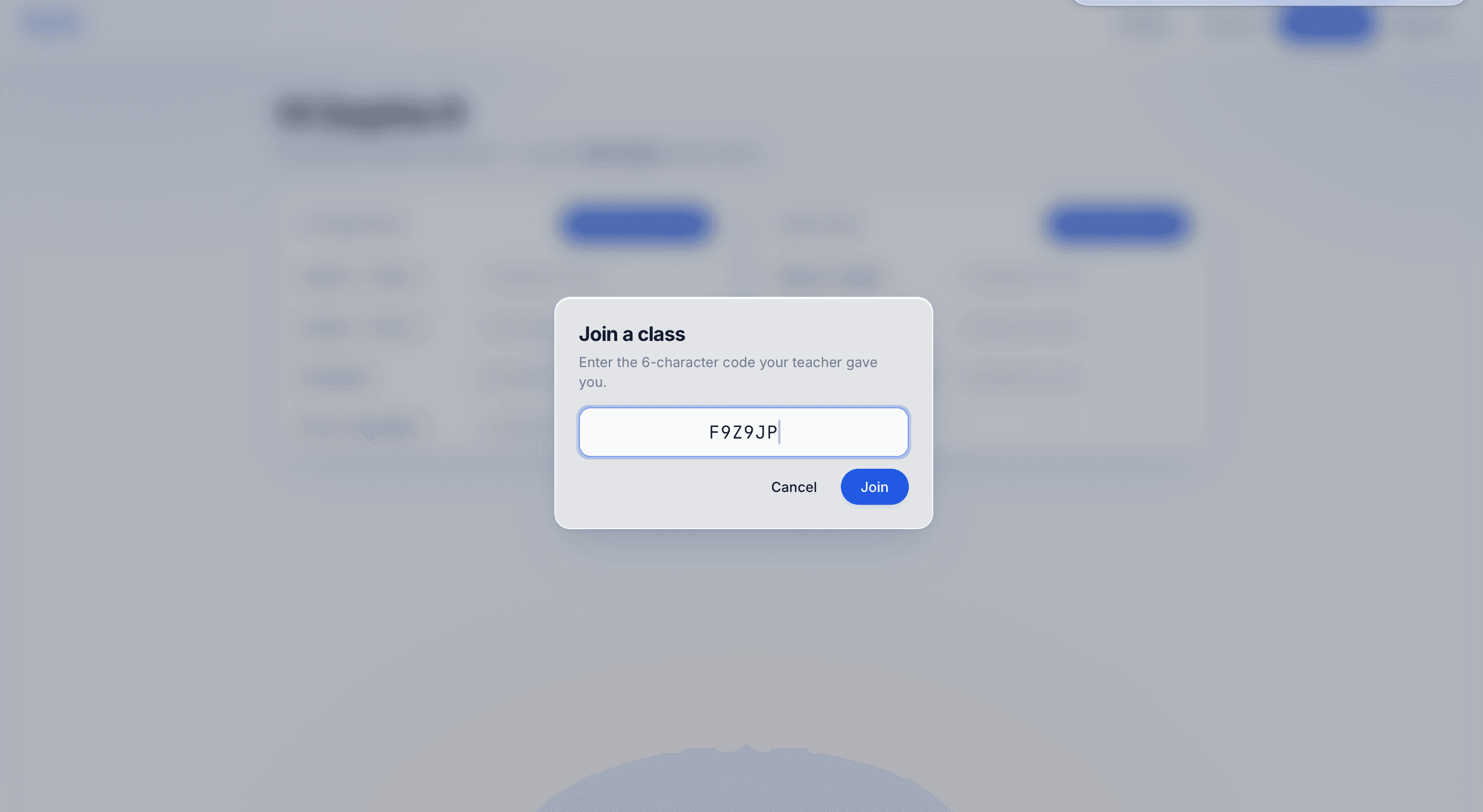
Join a class with one code
Students enter the 6-character code their teacher gives them to join a class — they're then connected to shared snippets and can have their work reviewed and commented on.
For teachers
Powerful tools for every classroom
Manage classes, review code, provide feedback, and help every student succeed.
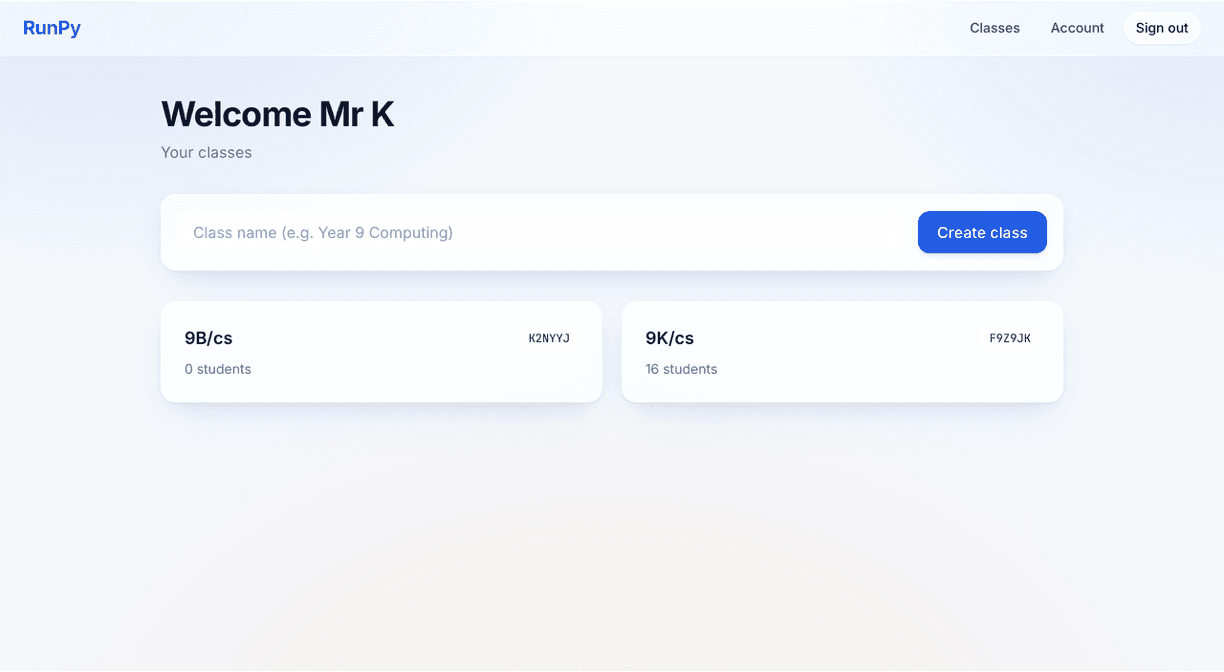
Create and manage classes
Spin up a class with one click and a memorable code. Share it with students; they're enrolled in seconds. Manage every class from one welcome screen.
Review every student's work in one view
Click into a class to see the roster, browse any student's files, and read the exact code they wrote — read-only, with a Run window so you can verify behaviour.
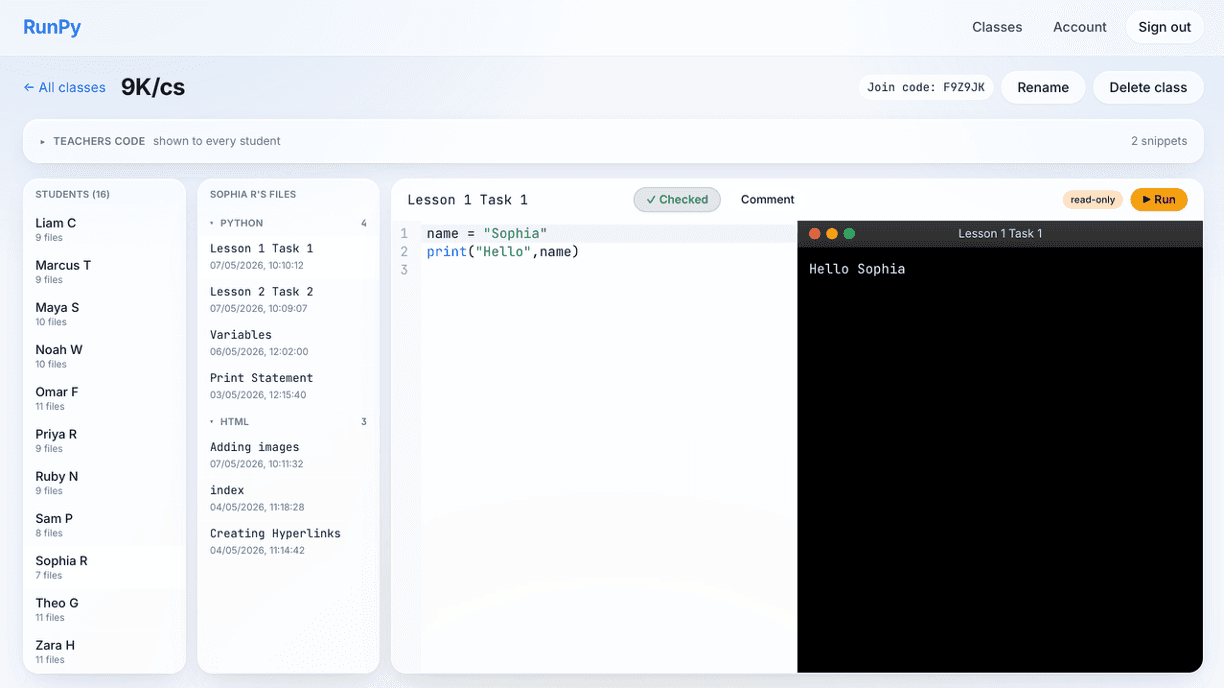
Mark work as checked
One-click marks a submission as reviewed. The badge syncs to the student's file straight away, so they know it's been seen.
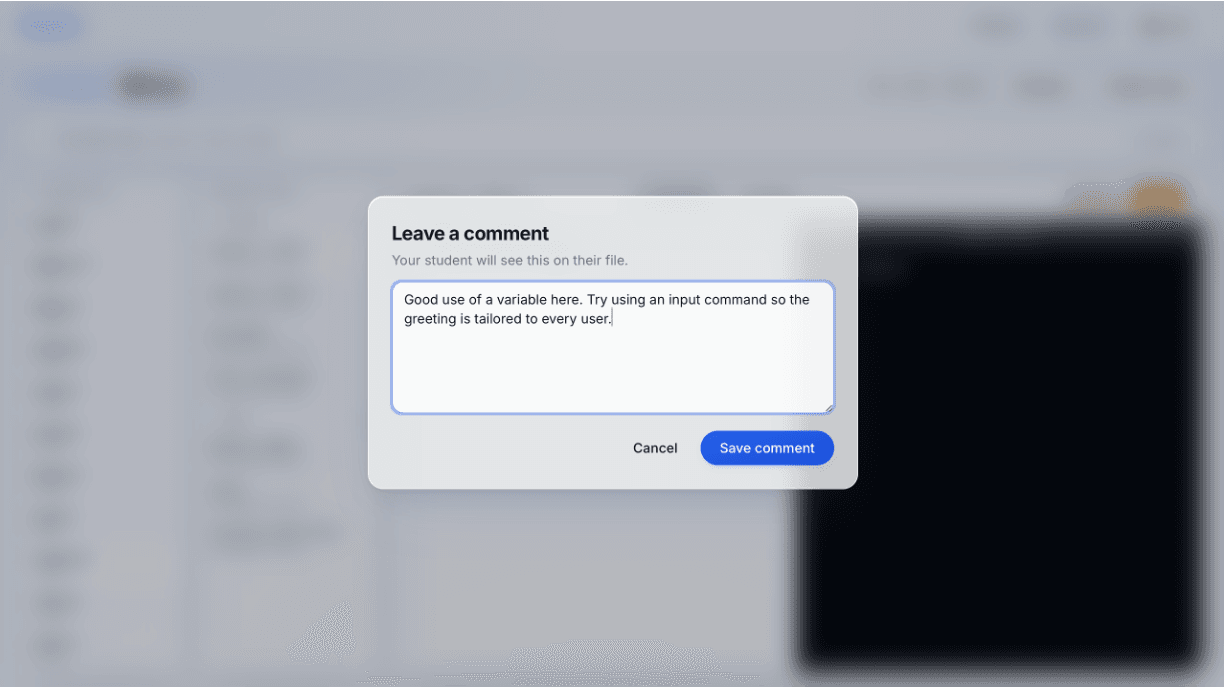
Leave a comment that students will see
Write a focused note attached to the file. It appears to the student the next time they open it — turning the file into a small piece of guided practice.
Safe and secure
A secure environment designed for schools and students.
Works anywhere
No installations. Access from any device with a browser.
Built for schools
Created specifically for computing teachers and classroom learning.
Save time
Simplify coding lessons and focus on teaching, not setup.
We're here to help
Get support whenever you need it from our friendly team.